
Playwright has become one of the most widely adopted frameworks for end-to-end testing. It’s fast, flexible, and developer-friendly, but scaling it properly requires more than writing a few scripts. This guide walks through what makes Playwright unique, the common pitfalls teams hit when adopting it, and how to turn it into a sustainable automation foundation.
Why Playwright matters in 2026
Testing has evolved from “does it work in Chrome?” to “does it work everywhere, fast?” Modern QA teams need cross-browser, parallel, and CI-integrated validation that doesn’t slow down release cycles.
Playwright, built by Microsoft, was designed for that exact problem. It supports Chromium, Firefox, and WebKit - all with a single API. It also handles modern web complexities out of the box:
- Shadow DOMs and iframes
- Network mocking and HAR recording
- Parallel runs and isolated contexts
- Native API for tracing and video recording
In short: Playwright gives developers more control, less flakiness, and fewer workarounds.
What makes Playwright different
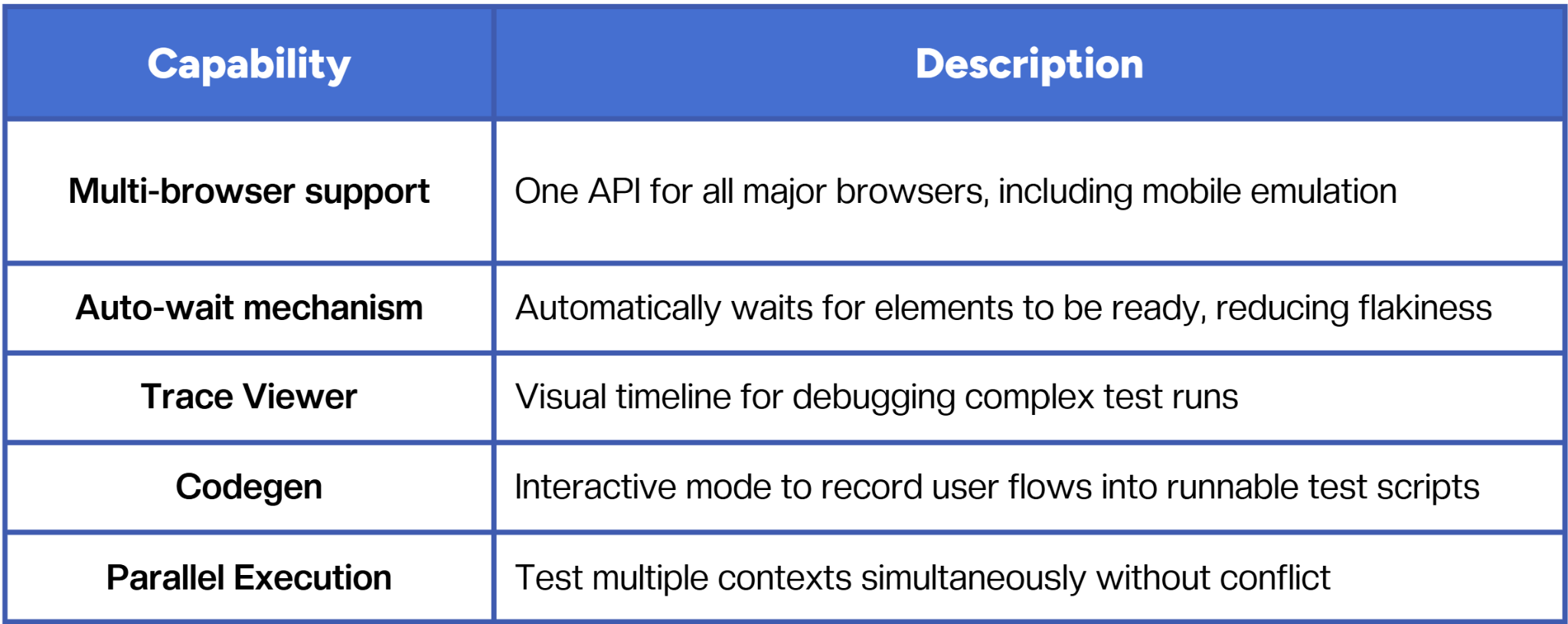
Playwright isn’t just a test runner - it’s a testing platform that aligns closely with developer workflows. That’s what made it gain traction over older tools like Selenium.
The shift from tool adoption to test architecture
Teams often “adopt” Playwright by installing it, writing a few test specs, and running them in CI. But that’s only 10% of the process.
To make Playwright truly reliable, you need to think about:
- Architecture: How tests map to product modules.
- Ownership: Who maintains and reviews test code.
- Scalability: How tests execute in CI/CD pipelines.
- Resilience: How to prevent flaky tests from blocking releases.
Without structure, Playwright suites can quickly become slow, redundant, and untrustworthy - the same problems automation was supposed to solve.
Common pitfalls when adopting Playwright
1. Testing without modularity
Copy-pasted selectors and overlapping test flows make suites hard to maintain. Use Page Object Models or component-level abstractions early on.
2. Flaky synchronization
Even though Playwright auto-waits, complex asynchronous UIs still require explicit synchronization (e.g., waitForResponse(), expect(locator).toHaveText()).
3. Neglecting parallel execution
Running all tests serially slows feedback loops. Configure parallel workers (--workers) and split by test type or component.
4. Poor reporting
Without clear logs, videos, and traces, test failures become black boxes. Integrate Playwright’s trace-viewer into your CI artifacts to enable faster debugging.
5. Overreliance on visual checks
Visual tests can drift - rely on assertion-driven validation for core logic, and reserve snapshots for UX-critical components.
Integrating Playwright into CI/CD
To get the most out of Playwright, treat it as part of your pipeline, not an external process.
Recommended setup:
- Run lightweight smoke tests on every pull request.
- Execute full regression suites nightly or per release branch.
- Store logs, traces, and screenshots in CI artifacts (GitHub Actions, GitLab CI, or CircleCI).
- Use Docker containers for consistent environment parity.
- Tag tests by feature or team for selective execution.
This makes your tests predictable, reproducible, and easily parallelized.
Scaling beyond individual engineers
Playwright works perfectly for a single engineer or small QA pod - but scaling test automation across teams introduces challenges:
- Coordination of test ownership and versioning.
- Maintaining selector integrity across UI changes.
- Managing test data across environments.
- Keeping execution time short enough to fit within CI budgets.
That’s why many teams start building orchestration layers, systems that manage test grouping, reruns, and historical insights automatically. The future of test automation isn’t just writing tests, it’s about keeping them alive as systems evolve.
When Playwright becomes part of a larger automation system
Modern testing stacks often combine:
- Playwright for browser automation
- LLM-based tools for generating and maintaining tests
- Continuous validation platforms for orchestration and analysis
This blend allows for faster feedback loops - AI handles coverage expansion and maintenance, while engineers review and sign off results for reliability.
That’s the direction most automation-forward teams are heading toward: less time coding repetitive tests, more time focusing on what tests mean.
Conclusion
Adopting Playwright isn’t just a framework choice - it’s a mindset shift. It forces QA and development teams to think about maintainability, collaboration, and architecture from day one. The real win isn’t running tests in three browsers; it’s building a testing system that scales without constant rework.
Playwright can be that foundation, but only if you treat automation as a living part of your development lifecycle, not a side project.
Fast and reliable test automation


.png)